Sign Up
A step-by-step walkthrough of getting registered and authorized to use Verifiabl.AI

Getting Started
To begin, you'll need:
-
Gmail account
-
YouTube account linked to the Gmail account you plan to use
(Additional account types will be supported soon!)
If you don't have a YouTube Account linked to your Gmail, please do so now before continuing with setup. For help, click here to go to YouTube support.

Register/Sign In
Click the "Register/Sign in" button on the upper right corner of any page. When you see this registration screen, click "Sign in with Google."
For security purposes, please enable two-factor authentication on your Gmail account. Click here for help with Google two-factor authentication.
Select Your Gmail Account
Select the Gmail account you would like to use with Verifiabl. If it's not listed automatically, add it by clicking the "Use another account" button.

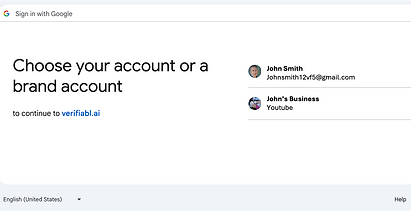
Select Your YouTube Account
Choose the YouTube account you will be using to distribute your content.
Verifiabl will automatically post all your processed media to this account.
Register
Please provide the requested information. To ensure that you are a known entity, we require specific information (including business ID) so that we may validate your credentials.
This information will only be used for validation of your account and will not be shared with any third parties.
Company information (except EIN) will be encoded with your media and publicly available. Please use the company name you would like displayed to consumers.

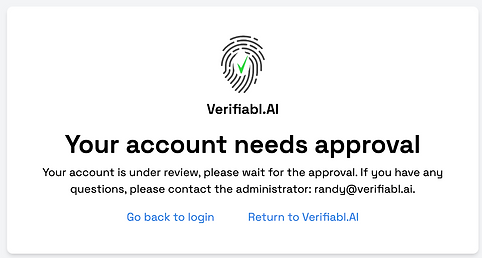
Account Approval
All accounts go through an authorization process, including a check of the provided information about you and your business. We will work with you and outside entities to confirm your identity and to ensure that you are an authorized representative of the specified company.
Once your account is authorized, you will be able to log in.
Dashboard

After account approval, logging into Verifiabl.AI will take you to the dashboard screen for your account. The dashboard displays all the content that you have processed (grid view or list view) and also provides access to the tools for new file processing. You are now ready to process files. Go to "Processing Your Files" from the "How it Works" menu for more info.